
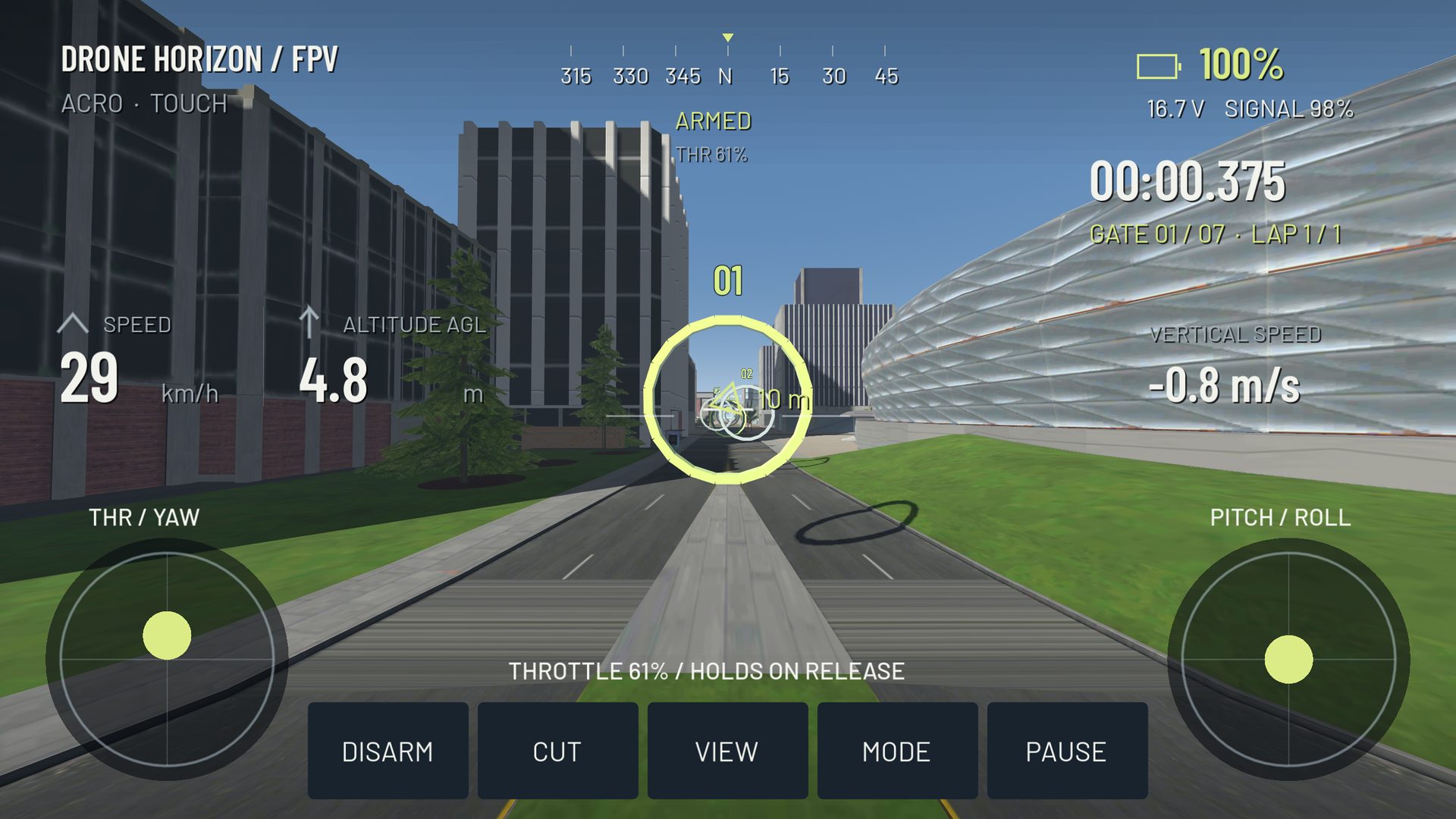
Drone Horizon's Flight School is a guided sequence that introduces the aircraft and interface one task at a time. The current source defines seven stages: arm, take off, yaw, try pitch and roll, change view, follow two gates and return to land.
This is a built-in game flow, distinct from the suggested practice routines elsewhere in the journal. It helps introduce controls; completing it is not a pilot qualification or proof of readiness for every real aircraft.
Prepare the session
Select a suitable offline map and verify the controls before starting. Flight School checks whether the map permits its training gates and asks you to choose another map if it does not. An indoor free-flight environment is therefore not automatically a substitute for the guided course.
Use a predictable Standard/Beginner setup while learning the manual control tasks. The training code selects Angle-mode behavior, but your chosen flight family and input profile should still be reviewed before launching. Do not treat the tutorial as a reason to skip calibration.
The seven stages
| Stage | What the flow asks you to do |
|---|---|
| Arm your aircraft | Prepare the throttle and arm deliberately |
| A gentle takeoff | Climb and settle rather than simply leave the ground |
| Turn to look around | Produce a controlled yaw movement |
| Tilt into motion | Try pitch and roll |
| Change your view | Switch camera perspective |
| Follow the training line | Cross two numbered gates in order |
| Bring it home | Return to the landing area and hold a gentle touchdown |
The prompts adapt to mobile touch use when no physical controller owns the input. That matters because touch throttle can retain its position, while a spring-centered gamepad has different mechanical release behavior.
What the progression checks
The implementation observes aircraft and control state rather than advancing solely because a help screen was dismissed. Takeoff progression includes altitude and vertical movement conditions. The gate stage uses crossing detection. The return stage checks proximity, grounded state, low speed, upright attitude and a dwell period.
These checks explain why rushing through the visible instruction may not advance the lesson. A brief contact while moving quickly is not the same as a settled landing. A flight past the wrong side of a gate is not the intended ordered crossing.
Use camera changes to understand motion
The view stage is a chance to compare what the aircraft is doing with what the FPV camera shows. A nose-down body can produce a level-looking image with camera tilt, and pointing toward a target does not guarantee the trajectory reaches it.
Return to the view you want to learn after the comparison. See camera angle and the four axes if the relationship remains confusing.
Repeat without the prompts
After completing the flow, repeat a gentle takeoff, broad circuit and return landing independently. That shows whether the sequence has become understandable rather than simply familiar as a series of prompts. Change the route only after the basic actions are deliberate.
The project records training completion in the pilot profile. Treat that as game progress, not a reason to skip future warm-ups after changing controller or flight mode.
Choose a next practice task
If takeoff is still abrupt, work on throttle control. If the aircraft banks farther than intended, revisit Angle vs Acro and attitude control. If gates are the difficult part, begin with a straight approach and a generous opening.
The beginner routine turns those observations into a longer learning path. Flight School provides the introduction; repeated, clearly defined tasks build the control afterward.